CAELIA / Features

Caelia features.
Manage tickets, devices and projects.

See the functions in the current Caelia version and the optional add-ons.

Tickets & supportDevices & softwareCustomers & locationsProjects & time trackingCustomer portalWork instructionsTeams & accessTI administration · Add-on Operations & overviewCustom branding · Add-on Website management · Add-on
01 / Tickets & support

Handle support tickets with customer information.

Record tickets with their customer, location and affected device. Assign tickets to staff and document replies and working time.

  • Set ticket statuses and priorities
  • Assign, claim and send formatted replies with images, PDFs and video links
  • Track time and follow external manufacturer requests by email with ticket references
  • Link devices and software; TI cards and KIM addresses with the TI add-on
  • Protected attachments; scan customer uploads before storage when ClamAV is enabled
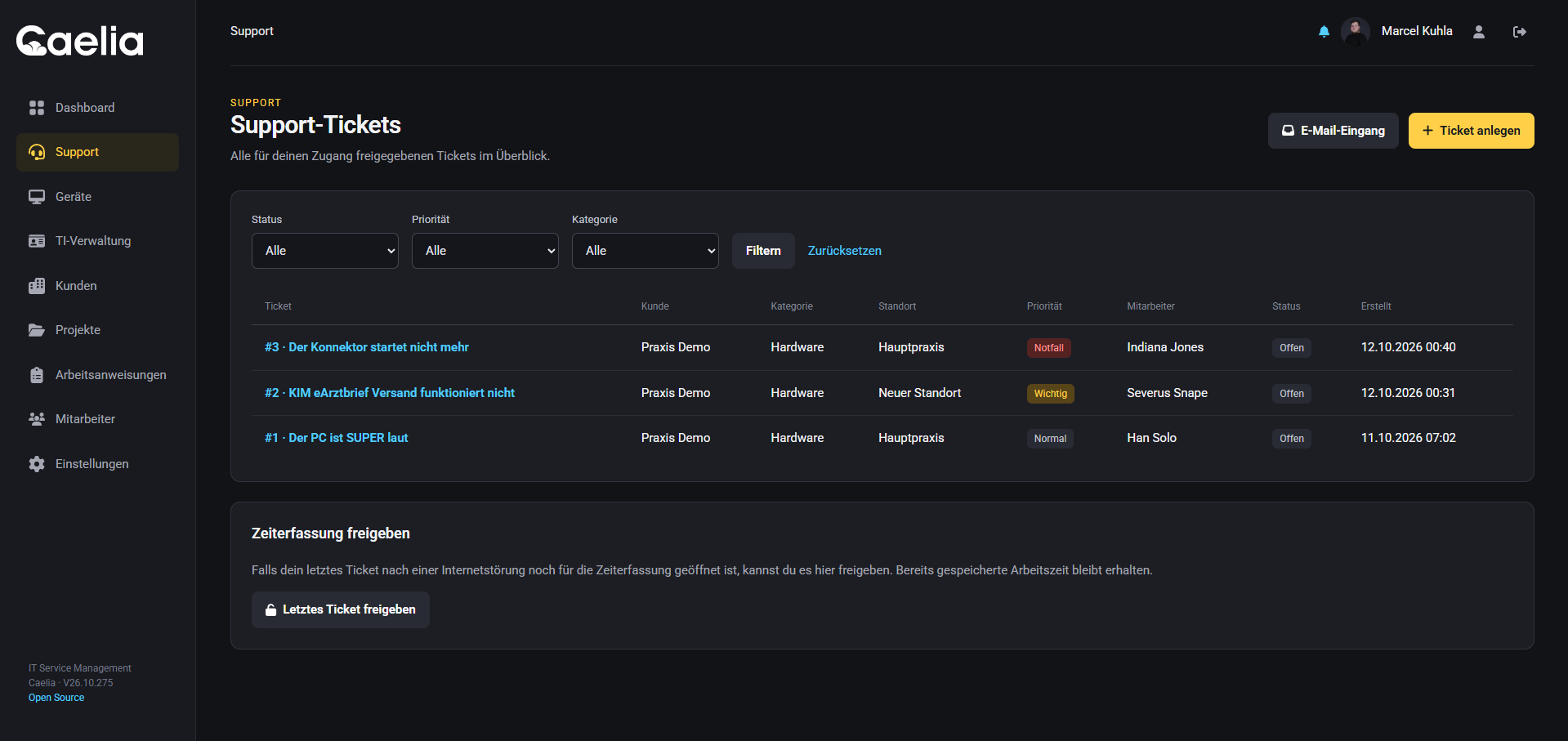
Tickets & support · Caelia
Original screenshot of the Caelia test environment · approved sample data · German interface
02 / Devices & software

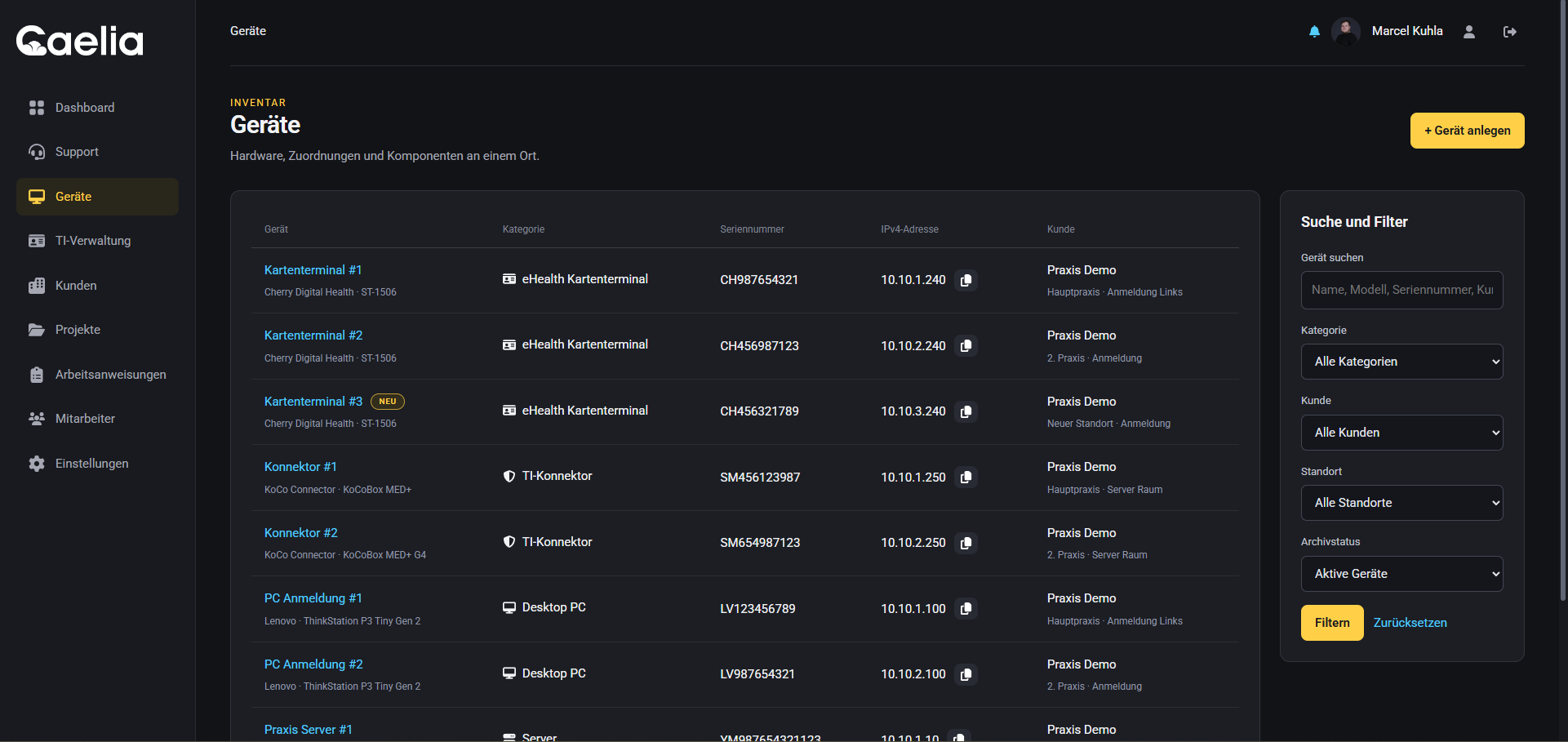
Record devices, components and software.

Assign devices to customers and locations. Store device details, components and installed software with each device.

  • Device categories, manufacturers and operating systems
  • Serial numbers, placement, network addresses and category-specific connections
  • Components, assigned accessories and software with validity dates and expiry reminders
  • Link devices to support tickets and projects
Devices & software · Caelia
Original screenshot of the Caelia test environment · approved sample data · German interface
03 / Customers & locations

Manage customers, contacts and locations.

Record organisations, contacts and locations. Assign responsible staff and store external customer identifiers.

  • Business customers or internal departments with contacts and locations
  • Internal responsibilities for customers and locations
  • External customer identifiers
  • Portal invitations and user management within authorised customers and locations
04 / Projects & time tracking

Plan projects, dates and working time.

Plan project steps and dates and assign a project lead and deputy. Assign customers, locations and devices and record working time.

  • Planning, active and completed project statuses
  • Steps, substeps, notes and progress management
  • Start and end dates, devices and locations in project context
  • Working time and project-end reminders for the project owner and deputy
05 / Customer portal

Give customers their own access.

Customers create and reply to tickets in the portal. They can see the devices, projects and other information you share with them.

  • Create support requests and send formatted replies with images, PDFs and video links
  • Dashboard with shared tickets and projects; filter devices by location and category
  • TI cards in the customer context with the optional TI add-on
  • Portal managers administer users within their authorised scope
06 / Work instructions

Document procedures and request acknowledgements.

Document procedures and assign the instructions to the relevant teams. The confirmation overview shows who has acknowledged each instruction.

  • Categories and versioned instructions
  • Validity dates and targeted team assignment
  • Instructions for everyone or selected employees
  • Acknowledgements and confirmation overview
07 / Teams & access

Organise teams and set access permissions.

Organise departments and teams. Roles and permissions determine who can access each area.

  • Employees, departments and teams
  • Team leads and deputies
  • Absences and invitations
  • Roles, area permissions, two-factor authentication and passkeys
08 / TI administrationOptional add-on

Manage TI cards and KIM addresses.

The optional TI add-on manages cards and components of the German healthcare telematics infrastructure. Assign them to customers and locations and link them to tickets and projects.

  • gSMC-KT, SMC-B and eHBA cards with providers, contacts and assignments
  • Validity periods and upcoming expiry information
  • Manage KIM addresses on TI cards and link them to tickets and projects
  • Location-based TI and KIM overviews in the portal; registration credentials remain internal
09 / Operations & overview

Check tickets and projects on the dashboard.

The dashboard shows current tickets, customers, projects and devices. Notifications report new activity. The audit log records changes.

  • Dashboard with tickets, customers, projects and devices
  • Notifications and current work instructions
  • Audit log for traceable changes
  • Business settings; custom branding as an add-on
10 / Custom brandingOptional add-on

Use your branding in Caelia.

The optional branding add-on lets you adapt the logo and appearance of your Caelia installation to your brand.

  • Your own company logo and a separately configurable email logo
  • Custom appearance
  • Display your own brand in the Caelia installation
11 / Website managementOptional add-on

Link websites to customers and projects.

Use the optional websites add-on to assign websites to customers, locations and projects. Store the CMS and hosting provider and record work and time spent.

  • Manage websites with their URL, customer, location, CMS and hosting provider
  • Encrypted administrator credentials for authorised internal staff
  • Record work and time for each website and assign it to projects
  • Check reachability on demand from Caelia and the browser; share results with relevant support tickets
  • Screenshot previews after configuring a local or external screenshot service
  • Customer portal access to authorised websites and previews; credentials and internal work remain internal

CAELIA / ON-PREMISES

Caelia on-premises pricing.

All prices apply exclusively to the on-premises version and exclude applicable VAT.

BASE VERSION

749 € one-time purchase

Perpetual usage rights
Caelia for one verified instance on your own infrastructure. Keep using the last version covered by your licence.

One year of updates included
New features, security updates and bug fixes during the included update year.

Further updates: €349 per year
Buy further updates if you need them. Without renewal, you can continue using your existing version permanently.

The base licence applies per instance. You are responsible for installation, infrastructure and backups.

Coming soon

OPTIONAL ADD-ONS

Add-ons for your instance.one-time per base licence

Branding add-on: €149 one-time purchase
Your own company logo, a separate email logo and a custom appearance for your installation.

Telematics add-on: €249 one-time purchase
Manage TI cards, KIM addresses and validity periods in their customer and location context.

Websites add-on: €49 one-time purchase
Document websites, CMS and hosting providers, record work and check reachability on demand.

All add-ons extend the on-premises base version and apply per base licence or instance.

Coming soon

Caelia Cloud is planned for 2027. The prices above do not apply to the cloud solution.

Contact

Questions about Caelia?

Ask us about features, licences or installation. Contact us by form, email or phone.

Contact us

Optional website analytics

kuhla.tech hosts Matomo in Bremen, Germany. IP addresses are anonymised. This website sends data to Matomo only after you agree.

Privacy policy